

Notes that work for you
Simple ways to take better notes, stay organized, and clear your mind every day.




Just published

Why Some Notes Apps Can't Simply Turn Off Their AI

Forgot Your Notes App Password? Why Some Apps Can't Help You

Why Typing a Quick Thought in a Chat Beats Picking a Page
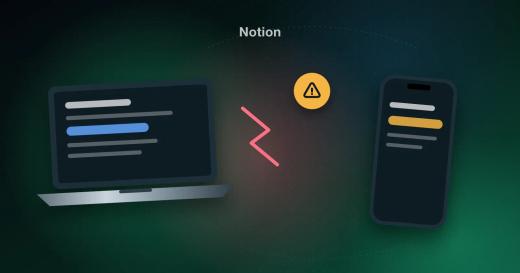
Why Notion's Offline Mode Falls Short for Everyday Notes

Reminders That Don’t Break When Your Connection Does

Can You Take Your Notes With You? Check Export Before You Commit

Standard Notes Free Plan: What You Get and What You Pay For

Secure Notes App: How We Protect Your Notes in Memory Chat
Alternatives
Honest comparisons with the apps you already know.

Obsidian Review: Who It’s For and Who It Isn’t
A grad student and someone who just wants a grocery list both download Obsidian the same afternoon. Why one loves it and the other gives up.
Read →
Google Keep Alternative for Android That Works Offline
Three hundred cards in Google Keep and you still can’t find anything? Move your notes into boxes for lists, budgets and places that all work offline.
Read →
Evernote Alternative for Everyday Notes
A note from the doctor, a weekend budget, a grocery list that changed three times. None of it is archive material. Here’s how to keep it in Memory Chat.
Read →
Productivity
Plan your day, your budget and your to-dos.



Privacy & security
How to keep your notes yours.
Why Some Notes Apps Can't Simply Turn Off Their AI
Many notes apps added AI, and some users want it gone. Here's why an off switch is harder than it sounds, and how to pick an app that stays out of your way.
Forgot Your Notes App Password? Why Some Apps Can't Help You
Some notes apps encrypt so strongly that even the company can't reset your password. Here's what that means for your notes and how to protect yourself.
How Memory Chat Keeps Your Notes Private with Zero-Knowledge Encryption
How Memory Chat encrypts your notes and files on your device, so only you hold the keys that can open them.
Offline
Notes that keep working without a connection.
Notion Offline: What Works and What Doesn’t
Only the first 50 database rows, and only pages you downloaded in advance. What happens to your Notion notes when the Wi-Fi drops, and how Memory Chat differs.
Read →
Offline Travel Planner App: Keep Your Whole Trip on Your Phone, Signal or Not
Bookings, packing list, budget, and saved places in one app that opens with no Wi-Fi. Here's how to set up a trip in Memory Chat.
Read →
How-to guides
Get more out of every Memory Chat feature.

Voice Notes App: Record a Quick Audio Memo When You Can't Type

Split Expenses with Friends Without Another App

Lock Your Notes with Face ID or a Fingerprint

Track Daily Spending With the Receipt Attached

Note-to-Self App: Why Chat-Style Notes Beat Texting Yourself

Notes App with Dark Mode for Writing at Night
Alternatives

Offline Notes App: Write, Search and Organize Without Internet
Looking for a notes app that works with no internet? See how Memory Chat uses local SQLite storage, offline search and automatic sync across devices.
Read →
Notes and To-Do Lists in One App
A meeting note turns into three follow-ups before you close the laptop. Keep both in one place so the task never loses the note that explains it.
Read →
Notion Alternative for Personal Notes
Opening Notion to write “buy milk” can feel like building a database. For errands, reminders and quick ideas, try an app where you write first.
Read →
A Second Brain App for Everyday Life, Without Weekends of Setup
Looking for a second brain app? Skip the database setup and plugin upkeep. See how Memory Chat keeps notes, budgets and tasks organized, even offline.
Read →
ADHD Planner App for Adults: A Simple Setup to Start Today
Ideas vanish before you find your phone, and the long list never gets opened. Four things to check in a planner app, plus a setup you can copy tonight.
Read →
Secure Notes App: How We Protect Your Notes in Memory Chat
A separate key for every note, encryption on your phone before anything syncs, and a Master Key that never reaches our servers. What that means for you.
Read →Obsidian Review: Who It’s For and Who It Isn’t
A grad student and someone who just wants a grocery list both download Obsidian the same afternoon. Why one loves it and the other gives up.
Read →Google Keep Alternative for Android That Works Offline
Three hundred cards in Google Keep and you still can’t find anything? Move your notes into boxes for lists, budgets and places that all work offline.
Read →Evernote Alternative for Everyday Notes
A note from the doctor, a weekend budget, a grocery list that changed three times. None of it is archive material. Here’s how to keep it in Memory Chat.
Read →
Why Some Notes Apps Can't Simply Turn Off Their AI
Many notes apps added AI, and some users want it gone. Here's why an off switch is harder than it sounds, and how to pick an app that stays out of your way.
Read →
Forgot Your Notes App Password? Why Some Apps Can't Help You
Some notes apps encrypt so strongly that even the company can't reset your password. Here's what that means for your notes and how to protect yourself.
Read →
How Memory Chat Keeps Your Notes Private with Zero-Knowledge Encryption
How Memory Chat encrypts your notes and files on your device, so only you hold the keys that can open them.
Read →
Voice Notes App: Record a Quick Audio Memo When You Can't Type
Hands full? Record a memo in Memory Chat instead of typing. The audio stays with your notes, and you can play it back offline.
Read →
Notion Offline: What Works and What Doesn’t
Only the first 50 database rows, and only pages you downloaded in advance. What happens to your Notion notes when the Wi-Fi drops, and how Memory Chat differs.
Read →
Microsoft To Do Alternative for Tasks That Need More Than a Checkbox
A meeting address, a whiteboard photo and repair costs will never be ticked off, but they need a home. Here’s how Memory Chat keeps them by your tasks.
Read →
A Lighter OneNote Alternative for Everyday Notes
OneNote is a great home for a semester of lecture notes, not for three things to buy on the way home. Where to put the small stuff instead.
Read →
Todoist Alternative for Everything That Isn’t a Task
The venue address, the invitation photo and the trip costs aren’t tasks, but they get lost when you squeeze them into Todoist. Here’s where to keep them.
Read →
TickTick Alternative for Everyday Life, Not Just Tasks
TickTick is a powerful task manager. When your day is more notes, places and receipts than due dates, here's a simpler way to stay organized.
Read →
Apple Notes Alternative: When You Need One and What to Pick
If your “Trip” note now holds flight times, a hotel address and who paid for dinner, you’ve outgrown Apple Notes. Here’s where those pieces go instead.
Read →
Notes App with Reminders: Keep the Note and the Nudge in One Place
A reminder that just says “Call Dave” isn't much help. Keep each note and its reminder together so the alert brings back the context you need.
Read →
A Daily Planner App That Holds Your Notes Too
Your planner says “Call Dana, 2:00 PM” but not what to tell her. Put the call notes, her address and the reminder in the same place.
Read →
Offline Travel Planner App: Keep Your Whole Trip on Your Phone, Signal or Not
Bookings, packing list, budget, and saved places in one app that opens with no Wi-Fi. Here's how to set up a trip in Memory Chat.
Read →
Why Typing a Quick Thought in a Chat Beats Picking a Page
Many notes apps make you choose a page or folder before you write. A chat-style inbox lets you save a thought in seconds and sort it later.
Read →
Why Notion's Offline Mode Falls Short for Everyday Notes
Notion works offline only in part, and some users see a note differ between devices. Here's why, and what to look for in an offline notes app.
Read →
Reminders That Don’t Break When Your Connection Does
Reviewers report reminders that never fire and features that vanish after updates. Four checks you can run in five minutes before you trust any app.
Read →
Can You Take Your Notes With You? Check Export Before You Commit
Some notes apps export to only one service, and some run on only one phone brand. Here's how to check before you're stuck, and how Memory Chat handles it.
Read →
Standard Notes Free Plan: What You Get and What You Pay For
Standard Notes has excellent encryption, but reviewers say checklists and bold text are paid-only. Here's what the free plan lacks before you choose.
Read →
Split Expenses with Friends Without Another App
Rent, bills, or a road trip: write down each expense and who paid as it happens, then use the note to settle up with friends or roommates.
Read →
Lock Your Notes with Face ID or a Fingerprint
Hand someone your phone without worrying about your diary. Lock Memory Chat with Face ID, Touch ID, or a fingerprint.
Read →
Offline-First Notes with Cloud Sync: Back Up and Export Notes You Own
Memory Chat works without a connection, syncs when you're back online, and lets you save a .memchat backup you can restore any time.
Read →
When Is Notion Better Than Memory Chat?
When Notion's shared pages and databases are worth the setup, and when Memory Chat is the easier way to keep track of everyday details.
Read →
Obsidian Plugins vs. Memory Chat’s Built-In Tools
Tasks, Dataview, Pomodoro and Leaflet: a normal week in Obsidian takes at least four plugins. A side-by-side look at what comes built into Memory Chat.
Read →
How Do Obsidian and Memory Chat Sync Notes, and Which Is Simpler?
How Obsidian and Memory Chat keep your notes on every device, what each costs, and which one takes less setup.
Read →
Is Texting Yourself on WhatsApp Enough for Notes?
You can’t tick off a grocery list, receipts don’t add up, and that restaurant tip is lost in the scroll. When to stop messaging yourself, and what to use.
Read →
Track Daily Spending With the Receipt Attached
A $42 charge on your card and no idea what it was? Log each expense with a photo of its receipt in a Budget Box and see what’s left for the month.
Read →
Note-to-Self App: Why Chat-Style Notes Beat Texting Yourself
Save a thought by sending yourself a message. Memory Chat keeps the familiar chat window and adds the structure a messaging app doesn't have.
Read →
Any.do Alternative for Organizing More Than Tasks
Any.do is a clean task manager. If your day also involves notes, places, budgets and voice memos, here's when Memory Chat fits better.
Read →
Obsidian Alternative for Everyday Notes: No Plugins Needed
Checklists need a plugin, the calendar needs a plugin, sync needs a subscription. If you want daily notes rather than a knowledge base, you can skip all three.
Read →
Notes App with Dark Mode for Writing at Night
Use Memory Chat's dark theme to write in a dim room, change the font size, and let the app follow your phone's light or dark setting.
Read →
How to Archive Old Notes Without Losing Them
Move finished trips, old projects, and past party plans out of sight without deleting them. They stay one tap away if you need them again.
Read →
Find Old Notes Fast with Search and Smart Filters
Search your saved notes in Memory Chat with no connection, then filter by note type or date to find the one you need.
Read →
See Your Spending and Focus Time in Memory Chat’s Charts
Memory Chat turns the expenses, timer sessions and checklist progress you log into charts, so you can see patterns without reading every entry.
Read →
Telegram Saved Messages as a Notebook: Where It Falls Short and What to Use Instead
A grocery list lost among hundreds of photos and links in Telegram Saved Messages. Where that habit runs out, and how the same things look in Memory Chat.
Read →
Apple Notes Alternative for Saving Links: When It's Enough and When It Isn't
A note called “Links” with sixty lines and no idea why you saved half of them? When Apple Notes is enough for links, and what Memory Chat adds.
Read →
Turn a Message Full of Tasks into a Checklist
Paste a message or block of text into Memory Chat and convert it into a checklist with one tap, without retyping each item.
Read →
How to Share Notes with Memory Chat
Send notes from Memory Chat to compatible apps, or bring supported content in from other apps without typing it again.
Read →
Organize Notes After Quick Capture: Move, Duplicate and Clone
Capture now, sort tonight. How to move a note to its real home, reuse a daily list, and clone a whole project in Memory Chat in a couple of taps.
Read →
Favorite Notes in Memory Chat: Keep the Notes You Use Most One Tap Away
Mark the notes you open every day with an emoji and find them in one place. Favorites work offline and sync when you reconnect.
Read →
Set a Reminder on Any Note So Important Tasks Don't Slip
In Memory Chat, long-press any note or task to set a one-time or repeating reminder. Reminders still arrive when you're offline.
Read →
Track Your Time with Built-In Timers and Pomodoro Sessions
Memory Chat's Timer records work sessions offline, supports Pomodoro intervals, and keeps your notes from each session in one place.
Read →
Save Important Places and Map Locations in Your Notes
Save where you are, or any point on the map, in Memory Chat, and keep notes, photos, files and reminders attached to that place.
Read →
Checklists in Memory Chat: A Practical Offline Guide
Make a list, tick items off, and attach a photo, file or voice note to any task, even on a flight. Step by step through a full trip-prep checklist.
Read →
No articles in this topic yet.